Create a
Brighter Everyday
Terminal Aesthetic Ideas for a Focused Desktop — design inspiration
Scene inspiration

THE LITTLE IDEA EDIT / Cute Tech

Terminal Aesthetic Ideas for a Focused Desktop

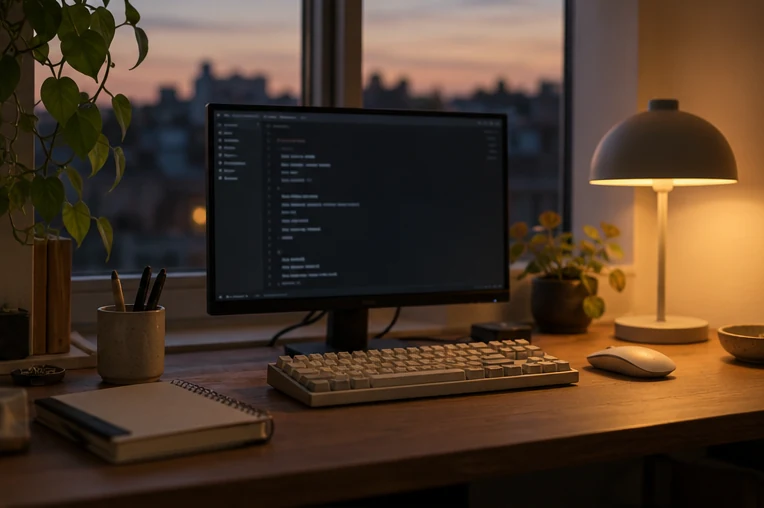
A terminal can be inviting without sacrificing legibility. Treat fonts, contrast, spacing and colour as working tools before adding retro decoration, and check that the same window remains pleasant through a long session.

Explore 4 ideas ↓
Make it yours at the worktable →

Choose a readable typeface

Use a monospaced font with clear distinctions between zero and O, one and l. Test the actual terminal window at the size and resolution you use every day.

Set colours by function

Reserve an accent for directories, warnings or prompts rather than colouring every line. Check contrast in both daylight and a dim room; subtle colours can disappear on laptops.

Add a calm prompt

A short path, current branch and one useful status indicator may be enough. Avoid pasting shell configurations or commands that you do not understand into a production environment.

Protect the working area

Leave enough line spacing and window padding for scanability, but don't use decorative frames that hide output. Save a backup of existing settings before experimenting.

Three working color previews. This page changes neither your terminal settings nor its commands.
AT YOUR WORKTABLE

A calmer screen, with the text in focus.

Choose a direction and keep the details that matter to you.

Your notes are not saved after a reload. Download or print a copy to keep them.

Compare a readable terminal palette

Preview text before changing your actual application. This is a display sample; it runs no commands.

~/little-project $ list

notes.txt
ideas/
materials.md

✓ Notes saved

! Missing file: check the path

$ ▌

Ideas to keep